
Image Pro - Optional Modules
AI-Powered Image Analysis Software for Research Microscopy
From supercharged multi-channel capture to protocol-driven analysis, Image-Pro is designed to optimise every workstation in your imaging lab.
Optional Modules
Application-specific solutions made easy
2D Measurements
Auto Shape Detection
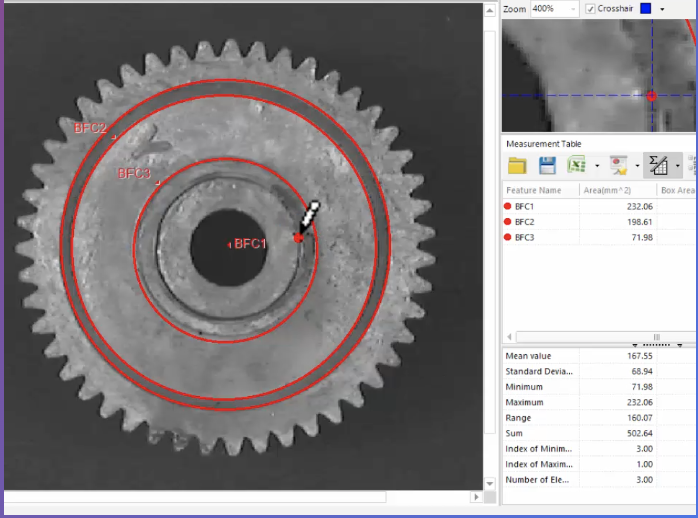
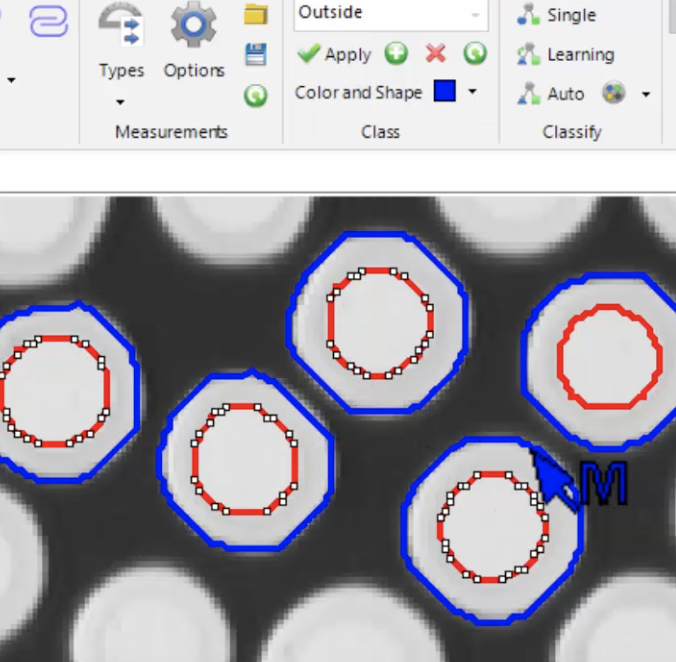
Extract accurate data from your calibrated images with a wide range of direct drawing and assisted drawing measurement tools including, the Magic Wand Tool, Auto-Trace Edges tool and the Auto-Find Shapes Tool.
Classify Measurements with Ease
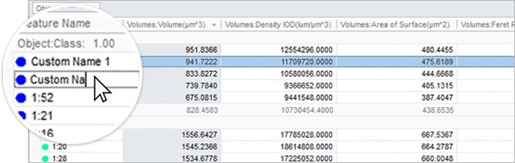
Use different colours, shapes, and custom names to classify and organise your measurement data. Using classes lets you group like objects together, report on class totals, see powerful class statistics.
Choose between manual and auto classification.
Data Management & Collector
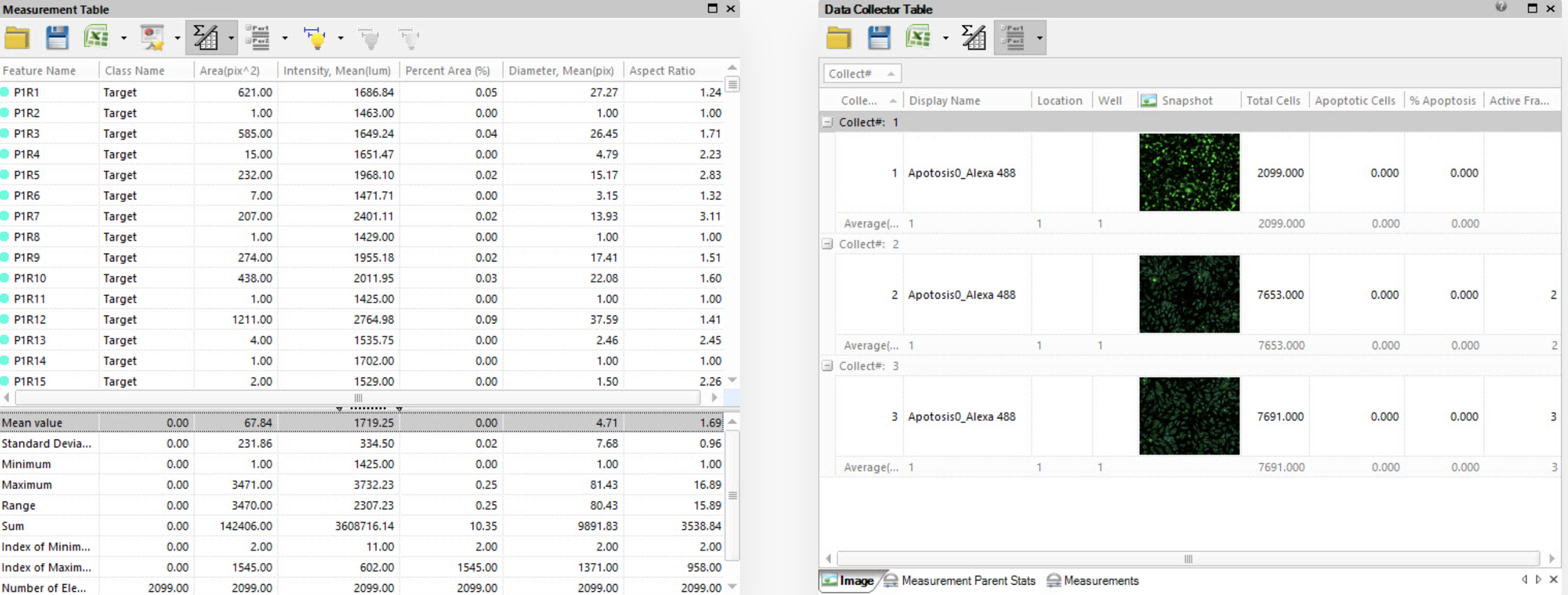
Choose from 144+ measurements for single or multiple images, store them in data tables, and visualise the results in a variety of graphical formats.
Use Data Collector to gather data from multiple experiments, organise results into one location, and display analytics just as you need it.
Direct & Assisted Measurements
Extract accurate data from calibrated images with a wide range of drawing tools to measure accurately.
Add points to build measurements
Click to count and classify
Measure relationships between existing direct measurements
Auto Snap to Edge tool accurately snaps along object edges
Measure Intensity & Detect Edges with a Line
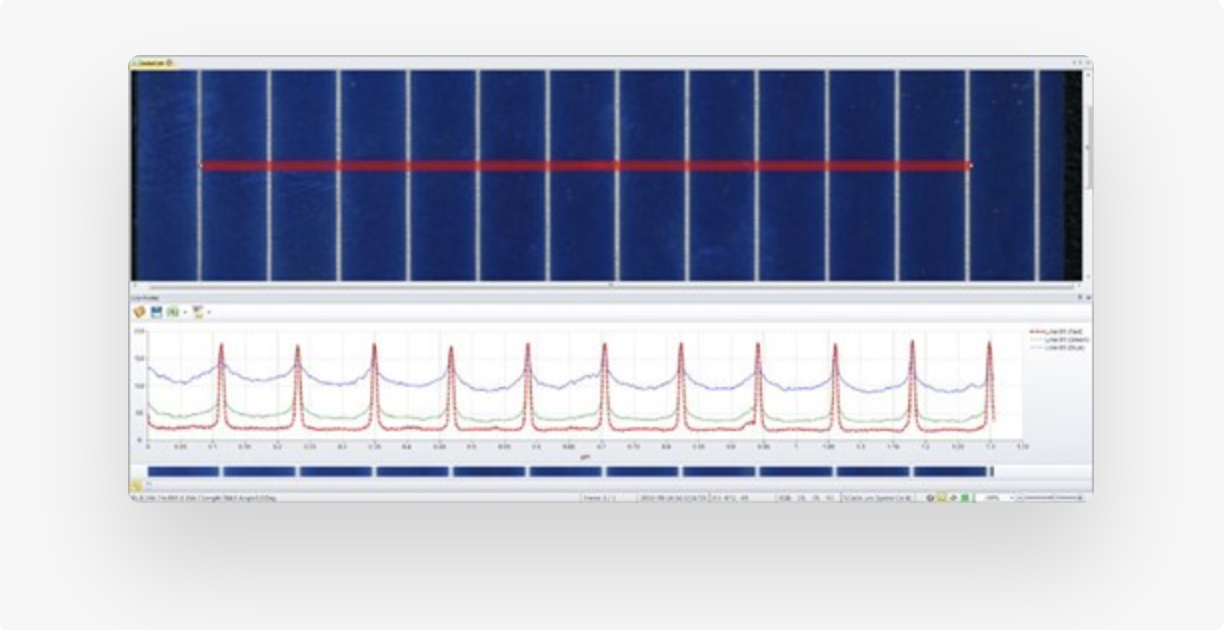
Draw a variety of lines and shapes for displaying the intensity under the lines as Line Profiles. Manually or automatically find peaks and valleys of intensity along the line for easy ring or edge detection.
Display measurements as a graph, measurements table or statistics table.
Precise Colour Measurements
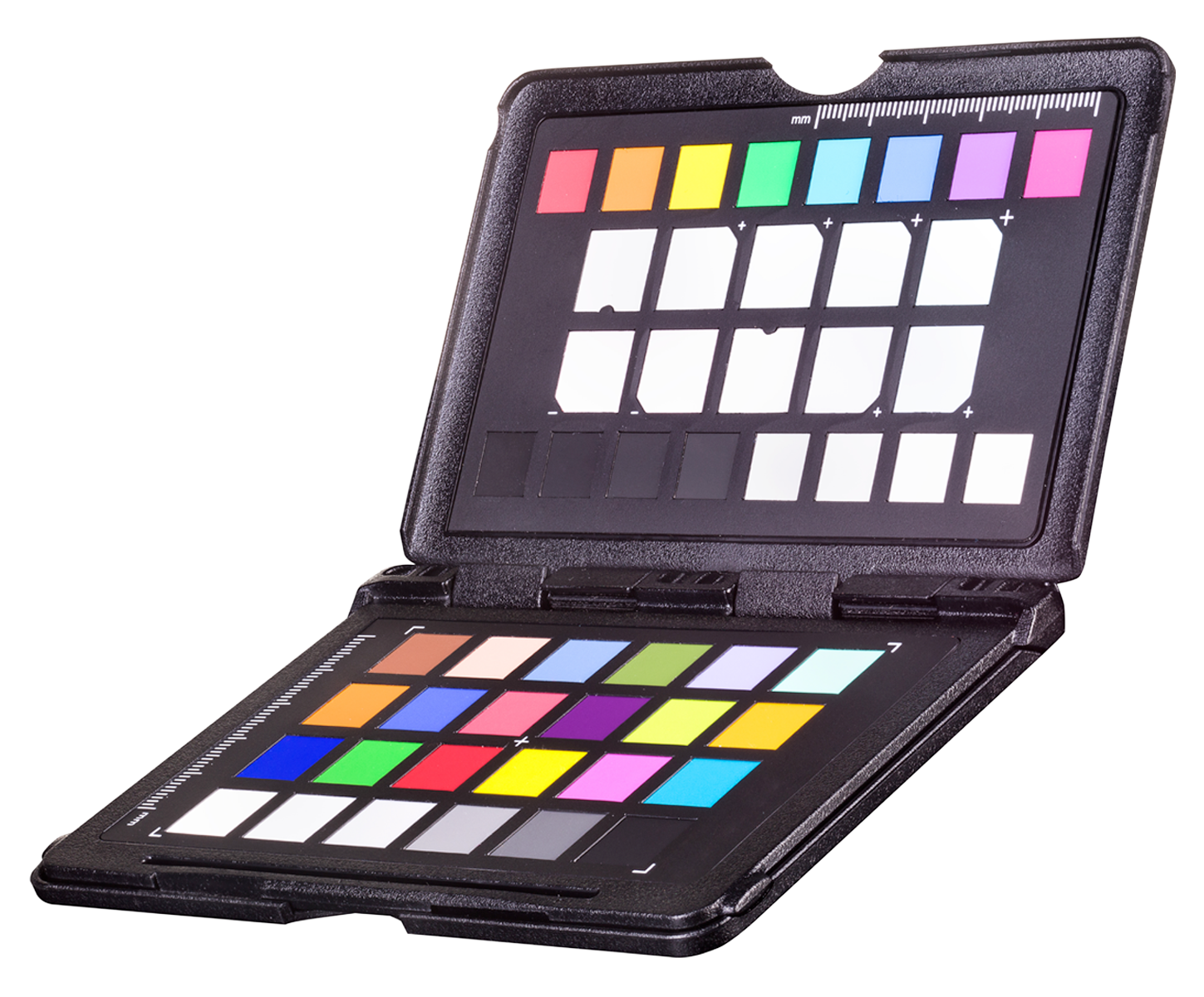
Perform absolute colour measurements or colour differences in CIE L*a*b*® or XYZ colour coordinates. It’s also just as easy to colour correct from a reference image.
2D Automated Analysis
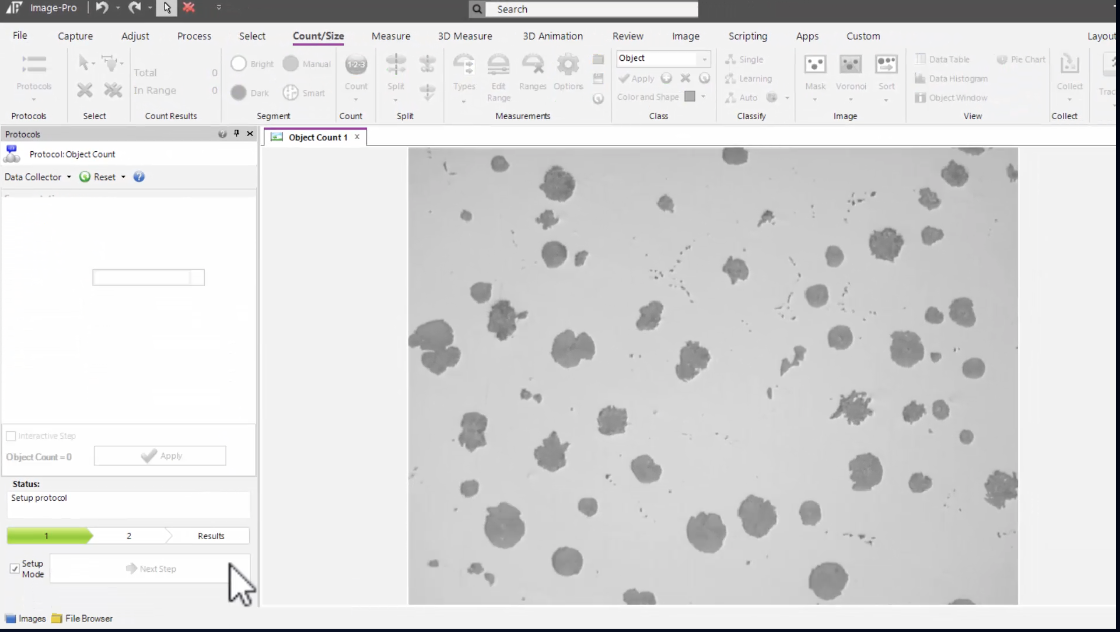
Protocols Library
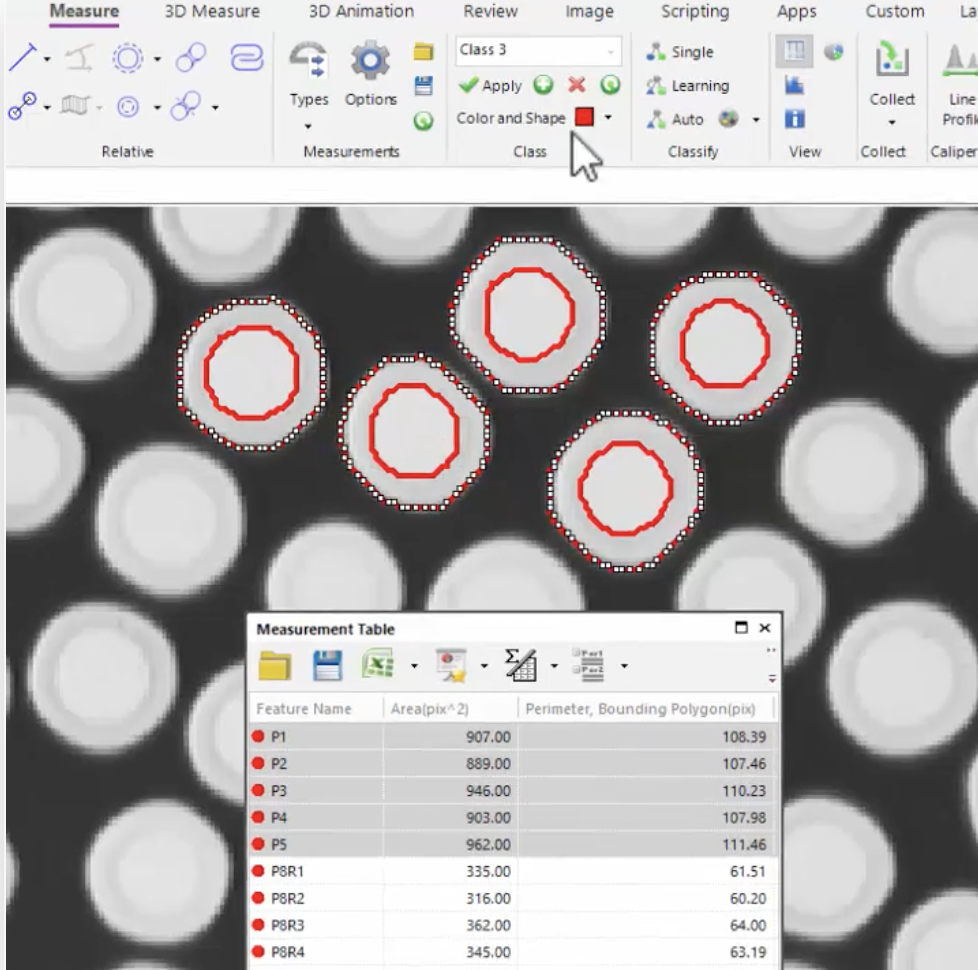
Image-Pro’s library of Protocols is rapidly expanding and making image analysis easier than ever. Each Protocol is packed with powerful analysis tools designed to deliver flexible and intuitive options.
Essentials Collection (included) - AI Powered Object Count, Objects within Objects and Percent Area
Additional Optional Collections - Cell Biology, Cell Biology Plus and Materials Collection
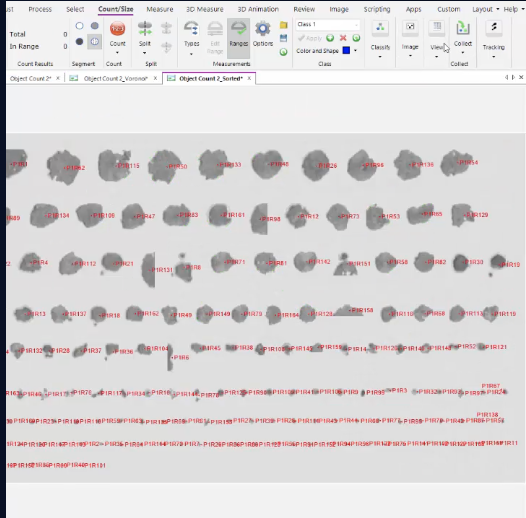
2D Tracking
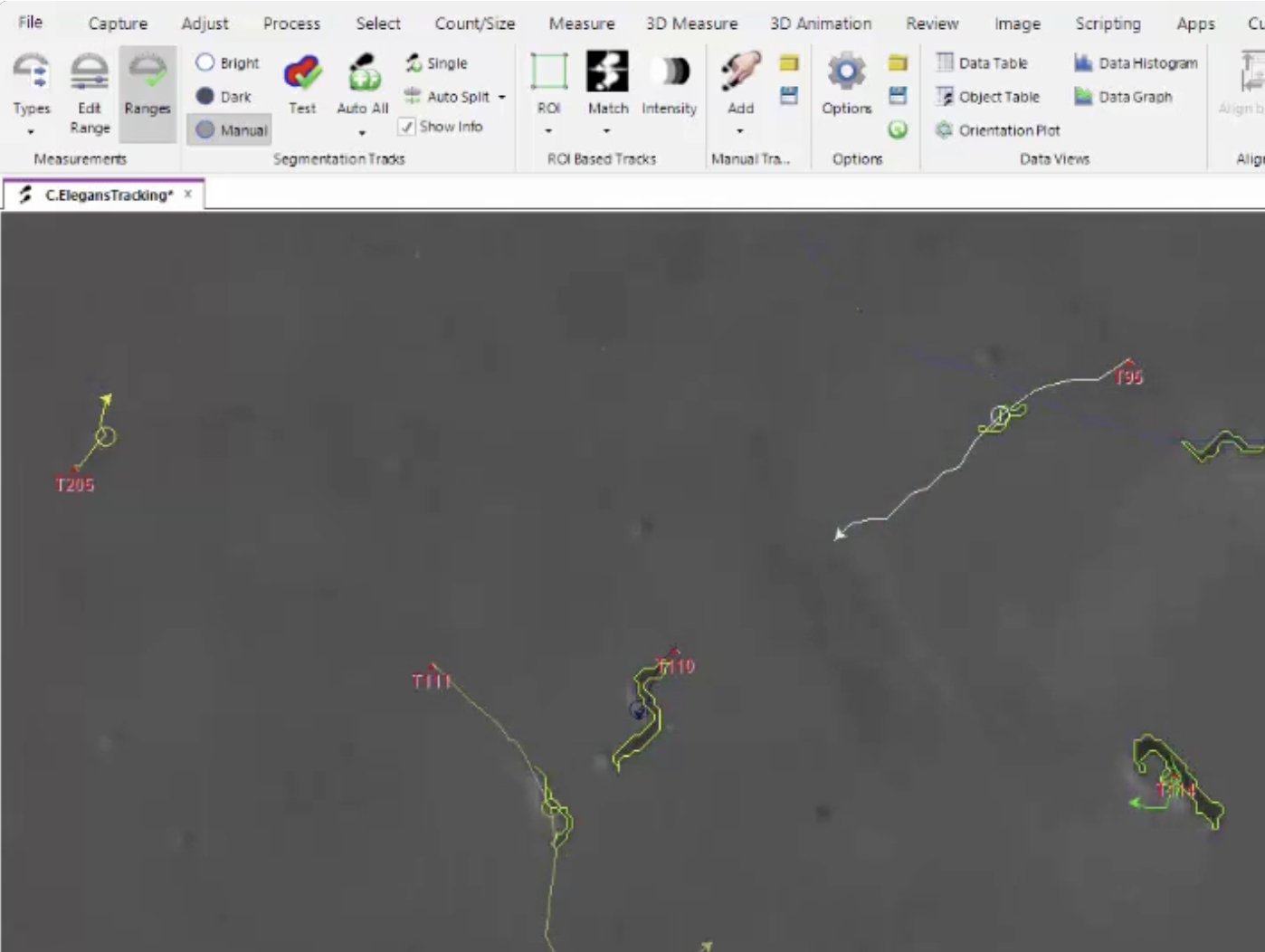
Track measurement over time including distance, acceleration, velocity, direction by angle & co-ordinates, relative time and object morphology over time.
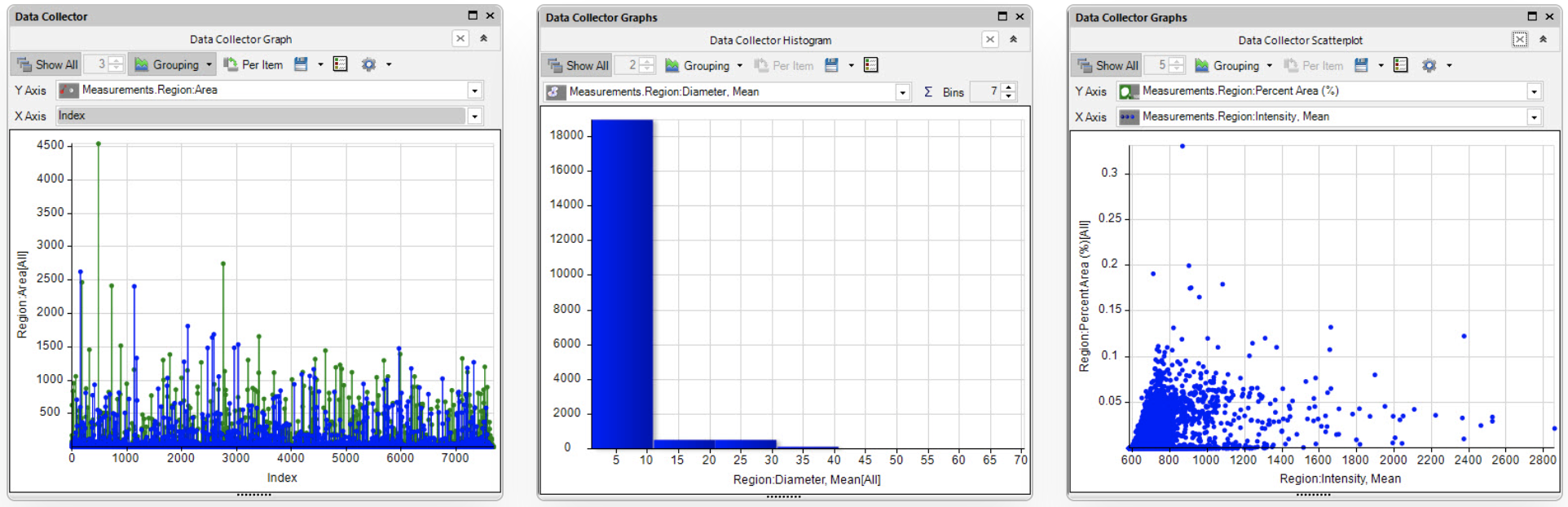
Visualise your Results
Create block tables, line graphs, data histograms, scatter plots, 3D plots, pie charts and heat maps.
Analysis Protocols
Protocols (standardised workflows) make analysis standardised by removing the variability of results between users or runs with a consistent, repeatable process.
Powered by machine learning
Customisable across similar routines
Multi-channel by design
Tailored reports are ready to be populated and customised for all Protocols
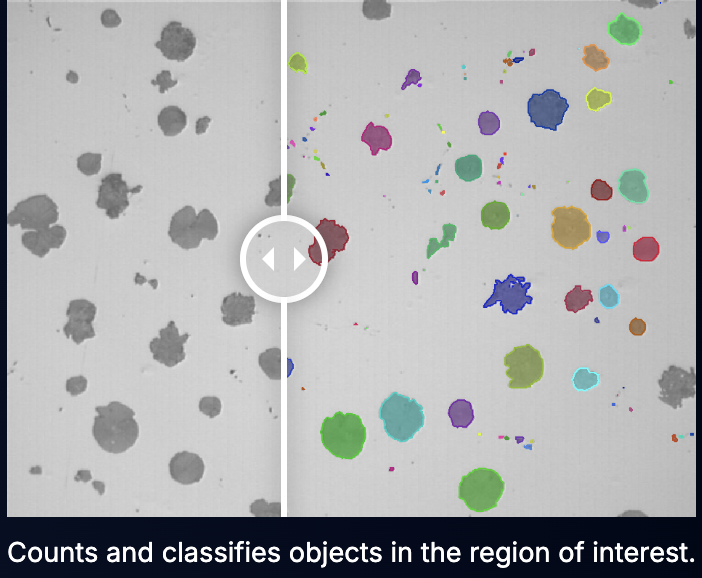
Smart Segmentation
Image-Pro offers a variety of segmentation techniques, including Standard Histogram-Based, Machine Learning Smart Segmentation and AI Deep Learning Segmentation.
Data Management
Choose from 144+ measurements to display in tables and graphs
Single Image Data Tables
Multi-Image Collected Data
3D Visualisation & Analysis
Control What You See
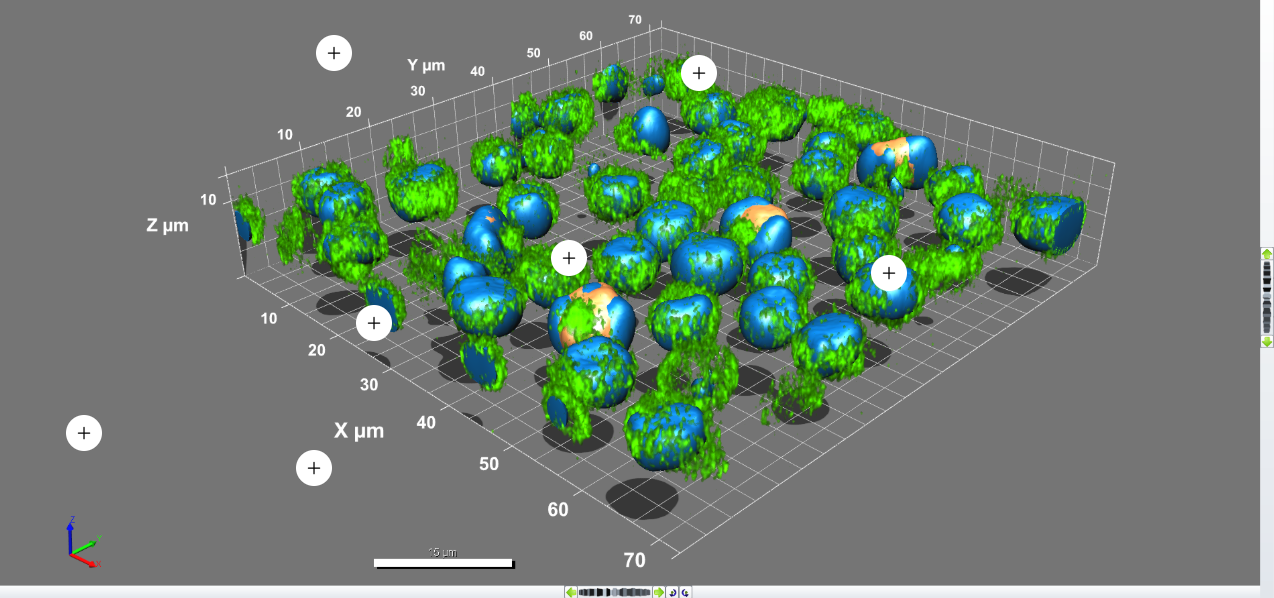
Adjust lighting, appearance, surfaces on volumes, objects, and channels to display striking results.
Change Backgrounds - to create a high contrast between your data and the background
Apply Shadows - to accentuate the morphology and interaction of objects.
Remove Regions - clip away distracting or unnecessary regions
Key Frame Animations
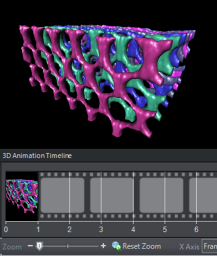
Powerful animation tools enable the creation of realistic videos composed of complex movements and renderings.
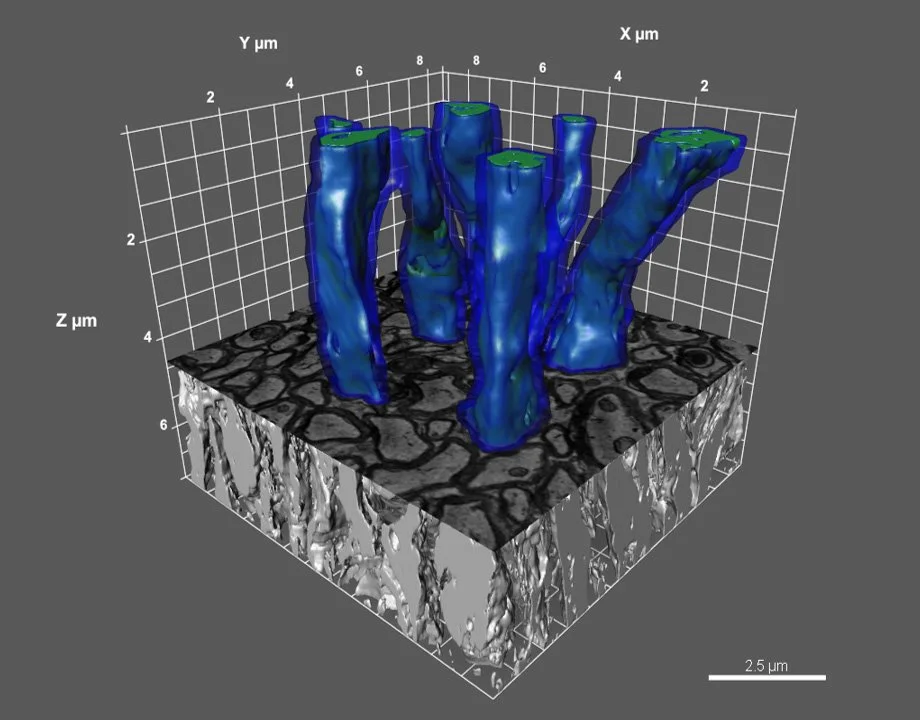
Measure and Analyse
Guided segmentation is designed to enable the identification and measurement of any 3D object using a simplified guided process.
Measure isolated 3D objects using straightforward point-to-point tools when individual geometry is needed.
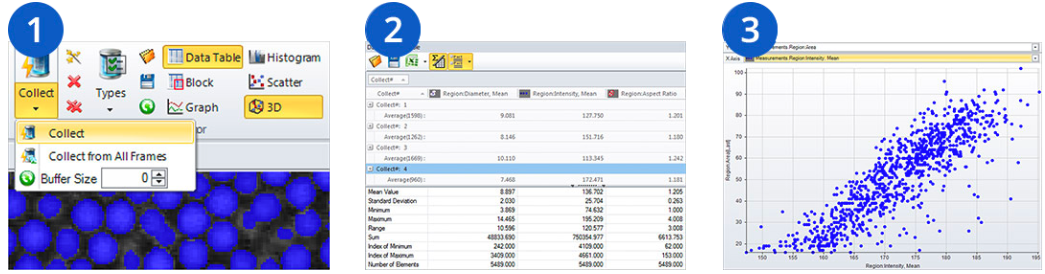
3D Data Management
Set Data Collections - automatically set up to collect images as they are measured
Link Collected Data - collect large clusters of data for each image separately and retain the original links to compare and contrast
Graph the Results - Use a variety of graphs such as 2D and 3D scatterplots, histograms, block charts and line graphs
Choose from 60+ measurements to display in tables and graphs
Superior Visualisation
3D/4D Views - view in high resolution full-screen views
Slicer View - link the position of the 2D plane to a real 3D position
Synced Comparison - side-by-side viewing, zooming and panning
Gallery View - see every frame that makes up the volume in a gallery of thumbnails
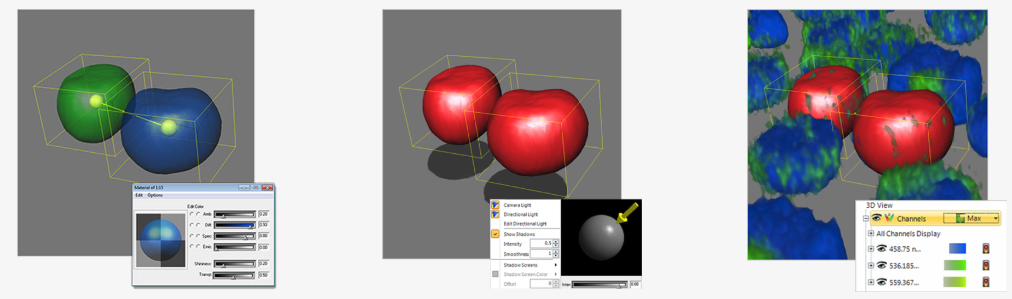
3D Clipping Planes
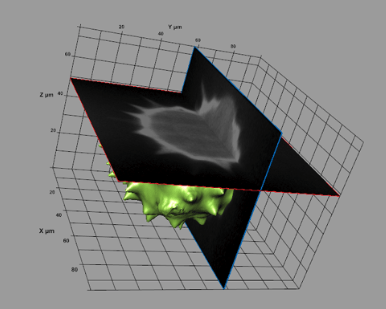
Easy-to-use clipping tools let you select a clipping plane, orientation axis, and clipping priority, then traverse the axis, viewing 2D slices of any 3D image.
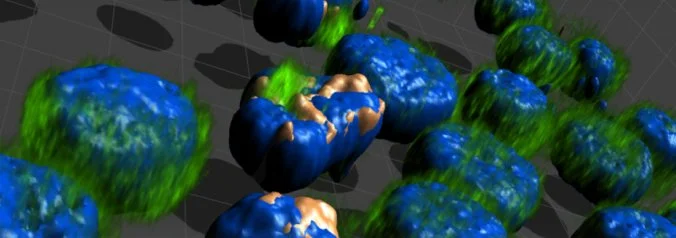
Big Data Visualisation
The Big Data Visualisation extension converts large datasets to multi-resolution pyramidal formats for quick, easy visualisation.
Conversion takes ~1 minute per GB or less
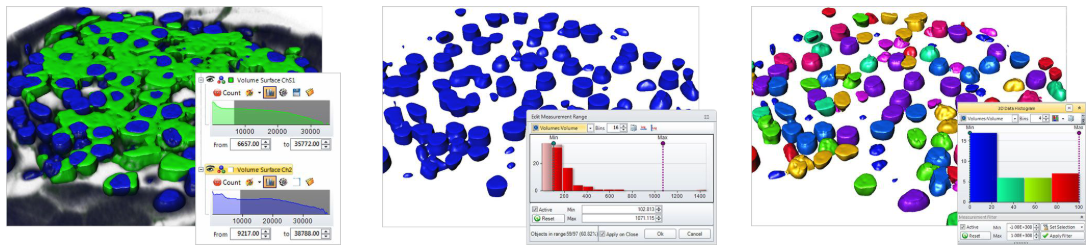
Automated 3D Analysis
Analyses 3D objects using histogram-based segmentation methods to easily calculate region dimensions, morphology, object count, intensity measurements, and more.
Combine with the data collector and batch processing to analyse large amounts of data in just a few clicks.
2D Capture
Support for over 150 Capturing Devices
Image Pro’s partnership with leading camera and microscope manufacturers means the widest possible device support for the devices your lab already utilises for image capture.
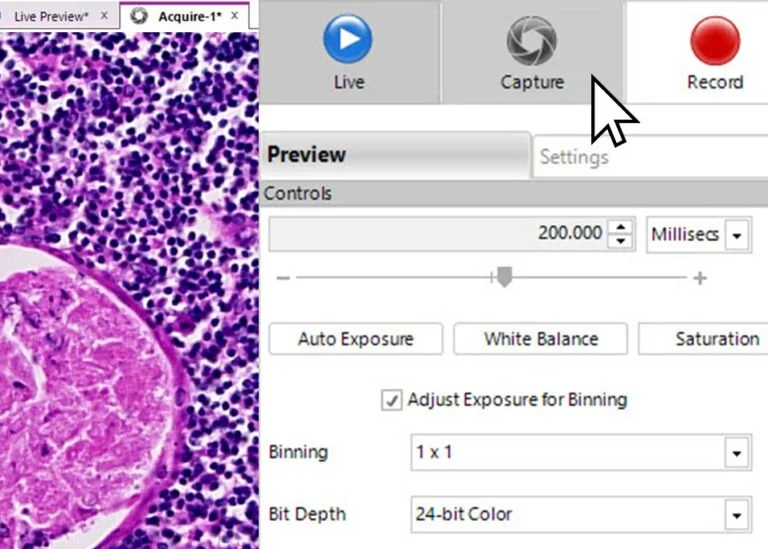
Record Time-Lapse Events
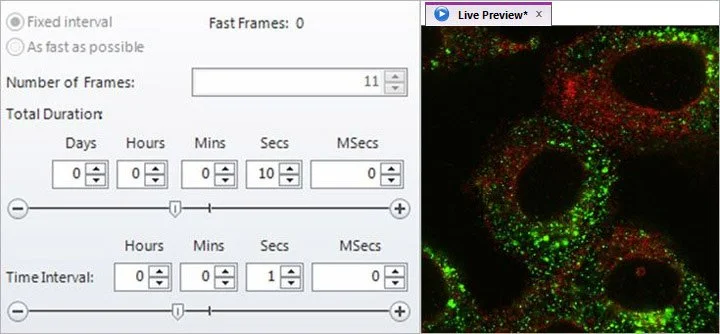
Record quick events or long-term experiments. Replay your recordings and display informative timestamps and overlays.
Fixed interval vs Fast as possible
Live intensity over time
Steam to Disk
Real-Time Deconvolution
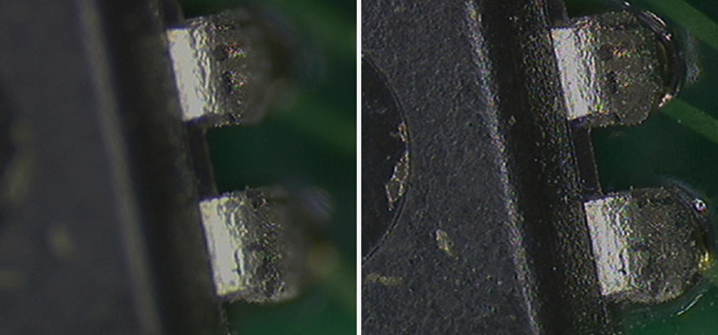
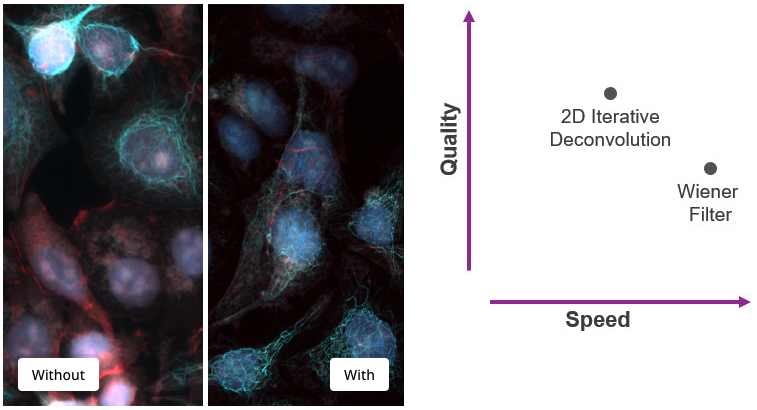
The optional Real-Time Deconvolution extension leverages industry-leading AutoQuant technology to cost-effectively “upgrade” your existing wide field microscope to obtain images almost as clear as those from more expensive confocal microscopes.
Elevate your capture system to now deliver crisp, high fidelity, fluorescent images during preview and capture.
Two algorithm options give you the control between speed and quality: 2D Iterative Deconvolution for higher quality, and Wiener Filter for higher speed.
Powerful Live Image Workspace
Live EDF - capture focused images, regardless of depth
Live Tiling - stitch together multiple fields of view.
Live Measurements - measure areas of objects or distances between objects on your live preview image (requires 2D measurements module).
Live Comparison - compare live images with previously captured images and analyse their differences or tint and visualise the changes that have occurred over time.
Live Grids - use the Calibrated Grid overlay to ensure alignment while capturing or to quickly measure.
Instant Capture & HDR
Instant Capture - captures images while live preview is running, unlike other capture programs that pause live preview, potentially leading to data loss.
HDR Capture - captures a sequence of images at different exposures and combines them into a single HDR image.
Capture Multi-Channel Fluorescent Images
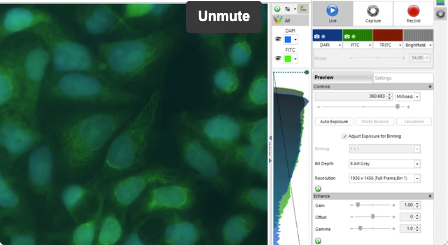
Whether in MANUAL or AUTO Mode, this optional extension to the 2D Capture Module will expand any microscope and make it capable of capturing multiple channels into an image set.
Whether capturing single snaps or movies, simply set up your channels, start the capture, and Image-Pro will prompt you to change the filter or light source when needed. Finish the session and your set is combined, color-tinted, and ready to view or measure. A simple, yet powerful way to capture.
AutoQuant Deconvolution
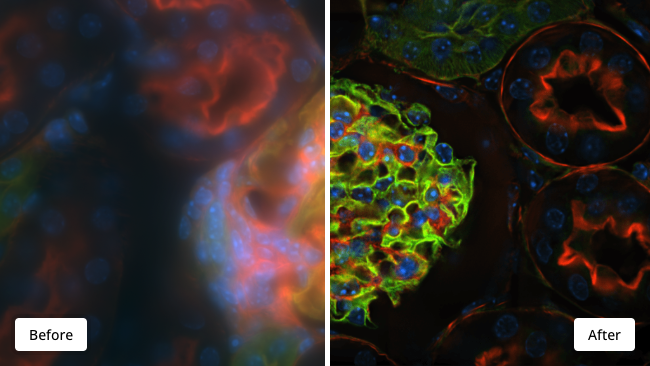
Industry-leading Image Restoration
Clear images in an instant
The best of AutoQuant standalone software has been upgraded, lab tested, GPU-accelerated by default, simplified into a single intuitive dialog, and is ready to fit into your imaging workflow.
The AutoQuant Deconvolution Module delivers repeatable, quality results in only a fraction of the time. Restore image fidelity, enhance quality, and reverse distortions introduced during the image acquisition process.
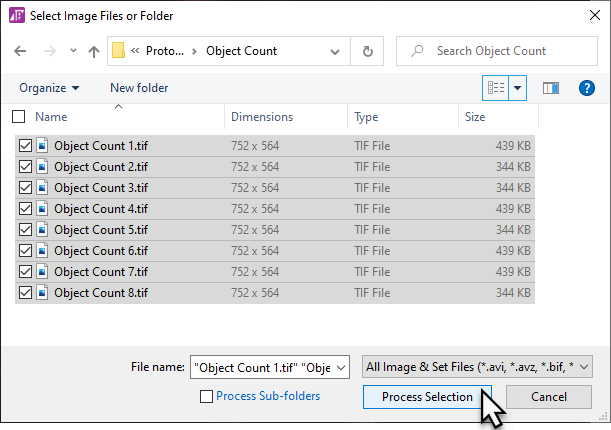
Intuitive Guided Process
AutoQuant is the most intuitive deconvolution software in the industry, using a simple yet elegant workflow to direct any user through the necessary steps to achieve repeatable image restoration.
Application-Specific Solutions Made Easy
Life Science Analytics | Materials Analytics
No matter the magnification or modality, obtain quantitative results you can trust.